

Electronic signature pads are hardware devices that capture handwritten signatures digitally for secure, paperless document signing. They are widely used in retail, healthcare, logistics, and government sectors to streamline workflows while ensuring legal compliance.
Table of Contents
ToggleElectronic signature pads come in several varieties to suit different needs.
Electronic signature pads come in several varieties to suit different needs.
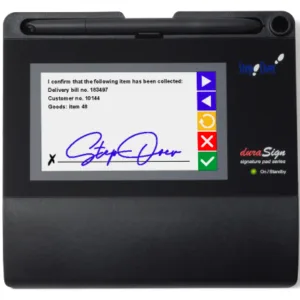
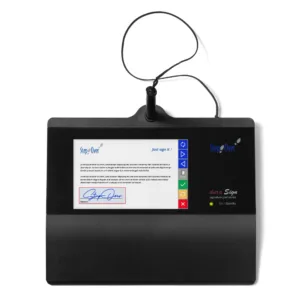
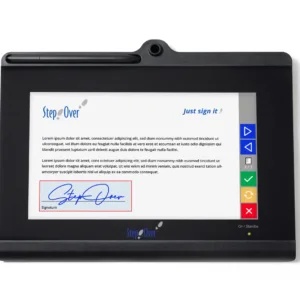
Standard Pads: Basic LCD models for simple capture, often USB-connected for POS systems.
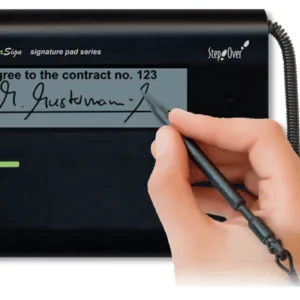
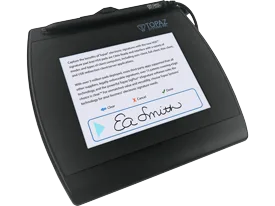
Backlit LCD Pads: Show real-time “electronic ink” as you sign, improving user experience.
Wireless Pads: Bluetooth or Wi-Fi enabled for mobility in field services or deliveries.
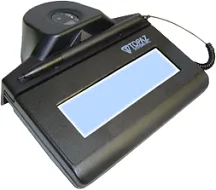
Biometric/ID Pads: Add fingerprint or card readers for high-security environments like banking.
Mobile Pads: Compact, portable options pairing with tablets for on-the-go use.
For Australian businesses like Data Scan, wireless pads integrate well with RFID/inventory systems for delivery confirmations.
Key Features and Benefits
These devices offer practical advantages over paper or purely software signatures.
Security: Encrypted capture prevents forgery; many include tamper-proof audit trails.
Accuracy: Pressure-sensitive surfaces mimic real ink for authentic-looking signatures.
Efficiency: Instant digital storage cuts paper costs and speeds approvals.
Compliance: Meet eIDAS/ESIGN standards when paired with verification.
Integration: Works with software like BarTender for labeling or ERP systems.
Businesses report 70-80% time savings on signing processes.
Common Use Cases
Signature pads excel in high-volume, in-person scenarios.
| Industry | Applications | Example Benefit |
|---|---|---|
| Retail/POS | Receipts, returns | Faster checkouts |
| Logistics | POD (Proof of Delivery) | Real-time tracking |
| Healthcare | Patient consent forms | HIPAA-compliant |
| Government | Forms, licenses | Reduced wait times |
| Manufacturing | Quality checks | Inventory linkage |
In warehouses, pair with barcode scanners for complete digital workflows.
How to Choose the Right Pad
Consider these factors for your setup.
Size and Portability: 5-10 inch screens for desks; smaller for mobile.
Connectivity: USB for reliability, wireless for flexibility.
Durability: Tamper-proof glass for heavy use.
Software Compatibility: Check drivers for Windows, macOS, or your POS/ERP.
Budget: $100-500 AUD for basics; $800+ for advanced models.
Test for stylus feel—key for user adoption. Local suppliers like Data Scan offer demos.
Next, take a look at our range. You’ll see straight-up prices, clear specs, and honest descriptions. If you’re not sure, or you want to see one in your office before you buy, just give us a call or send an email. We’re here to answer your questions, not just push a sale.
When you’ve made your choice, order online or over the phone. We’ll ship your pad quickly, with all the software and support you need to get started right away.
And if you ever have a problem? That’s why we’re local. We’ll help you sort it, fast.
Integration with Business Tools
Case Study: Medical Centre, Sydney
After years of lost forms and frustrated staff, a busy medical centre in Sydney switched to Topaz SignaturePad LCDs for patient check-in. The change was immediate: no more duplicate forms, faster patient flow, and a 30% drop in admin errors. Doctors and nurses loved how clear the signatures were, and managers were relieved to know every record was secure and compliant.
Frequently Asked Questions
Are these electronic signatures really legal here?
Do I need special software?
What if my team is on the move?
How much do they cost?
What if something goes wrong?
Get Started with Digital Signing, Your Way
Pads connect via SDKs to apps like DocuSign, Adobe Sign, or custom inventory software. For RFID users, they verify asset handovers digitally. Maintenance is minimal: clean screens, update firmware yearly.
