

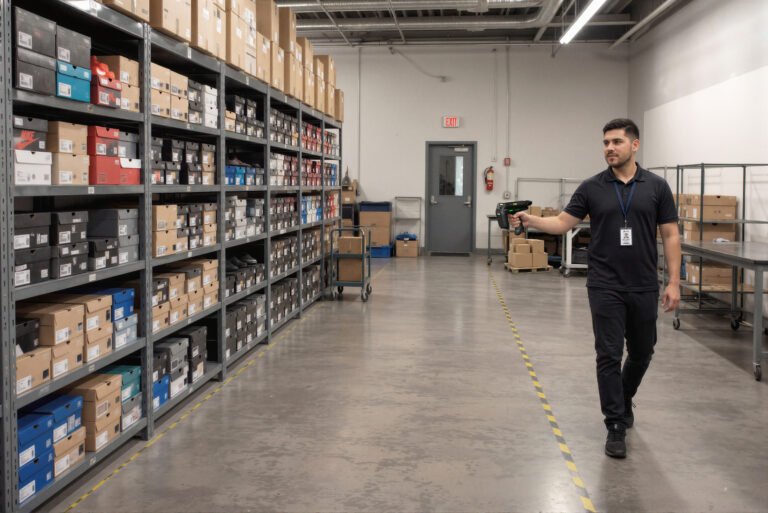
Choosing the right inventory management software for Australian businesses is not just about tracking stock levels. The right system should improve stock accuracy, reduce manual work, prevent stockouts, support multi-site operations and integrate with the tools your team already uses. This buyer’s checklist helps you compare platforms on the things that matter after go-live, not just on the feature list. If you are new to the topic, start with our complete guide to inventory management software, then come back here when you are ready to compare vendors.
The short answer: document your stock volumes, sites, users and required integrations first. Then compare software on real-time visibility, barcode and RFID support, multi-location control, reorder automation, reporting, mobile scanning and local support, and count the total cost of software, hardware, labels, training and integration before you sign.
Why inventory software matters
Manual spreadsheets and paper-based stock counts create delays, duplicate records and costly errors. A modern inventory system tracks stock levels, item values and movements in real time, and supports barcode or QR scanning, low-stock alerts and reporting.
For Australian businesses, the right platform can reduce carrying costs, improve forecasting, strengthen supply-chain visibility and scale as operations grow. The Australian Government’s inventory management guidance on business.gov.au is a useful plain-English starting point on knowing what stock you hold, what it is worth and when to run a stocktake.
Before you compare vendors
Start by documenting your current inventory challenges. A clear requirements list stops you buying software with impressive features that do not solve your actual problems. Ask your team:
- How many products, SKUs, locations and users do we need to support?
- Do we operate from one warehouse or multiple sites?
- Do we need barcode, RFID or both?
- Which systems must connect to the inventory software, such as accounting, POS, ERP or e-commerce?
- What reports do managers need daily, weekly and monthly?
- Who will use the system: warehouse staff, sales teams, procurement, finance or field technicians?
Essential features checklist
Use the following checklist when evaluating inventory management software.
| Checklist item | What to look for |
|---|---|
| Real-time stock visibility | Live stock levels across warehouses, stores, vehicles and sales channels |
| Barcode scanning | Fast receiving, picking, transfers, stocktakes and fewer keying errors |
| RFID capability | Bulk, non-line-of-sight scanning for high-volume or high-value inventory |
| Multi-location support | Stock transfers, location-level balances and consolidated reporting |
| Reorder alerts | Minimum-stock thresholds, purchase suggestions and automated replenishment workflows |
| Purchase and supplier management | Purchase orders, supplier details, receiving and back-order visibility |
| Sales-channel integration | POS, e-commerce, ERP and accounting connections |
| Reporting and analytics | Stock valuation, slow-moving items, turnover, shrinkage and demand trends |
| Mobile access | Rugged handhelds, smartphones or tablets for warehouse and field teams |
| User permissions | Role-based access for warehouse, purchasing, finance and management teams |
| Scalability | Ability to add products, users, sites and automation as the business grows |
When comparing software, prioritise cost-control dashboards, supplier management, reporting, cloud access and integrations with e-commerce, POS and barcode systems. For field and warehouse teams, check that the mobile app runs on the devices you plan to use, such as a rugged handheld PDT, and not only on office PCs.
Barcode vs RFID: which do you need?
Barcode and RFID both improve inventory accuracy, but they suit different operational needs. Our detailed barcode vs RFID comparison goes deeper; the summary below covers what matters for a software decision.
| Factor | Barcode | RFID |
|---|---|---|
| Best for | Individual item scanning and standard inventory workflows | High-volume counts, dense pallets, returnable assets and rapid audits |
| Scanning method | Line-of-sight scan, usually one item at a time | Radio-frequency reading; no line of sight required |
| Speed | Reliable for single-item workflows | Can read many tagged items at once |
| Cost | Lower entry cost | Higher hardware and tag investment |
| Typical use | Retail, spare parts, warehouse receiving and picking | Apparel, high-value assets, tool cribs, pallets and closed-loop inventory |
Barcode scanning gives each item a unique identifier and updates inventory counts as soon as it is scanned. For most receiving, picking and stocktake work, a barcode scanner such as the Zebra DS2278 cordless 2D scanner is enough, and 2D models also read QR codes.
RFID can automate inventory management by feeding data into a WMS, ERP or unified commerce system. As GS1 Australia explains for EPC-enabled RFID, a reader can identify many tagged items in a single pass without line of sight. That makes RFID especially useful where line-of-sight scanning is a bottleneck or counts must be completed quickly, such as apparel, returnable assets and high-density inventory. Handheld options range from RFID readers to sleds such as the Zebra RFD40 Premium RFID sled, used with RFID labels and tags. See how this works in practice in RFID stocktake solutions for Australian retailers.
Integration checklist
An inventory system should not operate in isolation. Poor integration creates duplicate data entry, delayed stock updates and inaccurate reporting. Check whether the software integrates with:
- Accounting software such as Xero, MYOB or QuickBooks
- POS systems for retail and hospitality
- E-commerce platforms and marketplaces
- ERP systems for larger operations
- Warehouse management systems
- Barcode scanners, label printers and mobile computers
- RFID readers and fixed portals
- Shipping, freight and third-party logistics platforms
Automated data synchronisation through barcode, RFID, POS and ERP systems helps teams make faster decisions about stock transfers, purchasing and demand changes. Hardware compatibility matters as much as software integrations: confirm the platform supports the mobile computers your staff will carry, such as the Zebra TC22 Android mobile computer, and the printers that produce your labels, such as the Zebra ZD421 desktop label printer.
Australian business requirements
Australian buyers should also assess local support, compliance and connectivity needs. Look for:
- Local implementation, training and technical support
- Australian data-hosting or data-residency options where required
- Support for GST, tax reporting and local accounting platforms
- Compatibility with GS1 barcodes and Australian labelling standards
- Reliable performance across warehouses, retail stores and regional sites
- Offline or low-connectivity capability for remote operations
If the system stores customer or staff personal information, ask where data is hosted and how it is secured. The Australian Privacy Principles cover disclosure of personal information overseas (APP 8) and the security of personal information (APP 11).
GS1 barcodes, carton labelling and EDI/ASN standards can reduce receiving errors and chargebacks in Australian supply chains. If your trading partners are moving to 2D barcodes, read our guide to GS1 Sunrise 2027 and the 2D barcode transition before choosing scanners and software.
Questions to ask software vendors
Before signing a contract, ask each vendor:
- Can the system support our current stock volume and future growth?
- Does it include barcode and RFID functionality, or are these add-ons?
- How does it handle multi-warehouse transfers, cycle counts and returns?
- Can staff scan inventory using rugged Android devices or existing mobile hardware?
- Which accounting, POS, ERP and e-commerce systems does it integrate with?
- What implementation, data-migration and training support is included?
- How are software updates, backups and security handled?
- What is the total cost, including licences, hardware, tags, support and integrations?
- Can we run a pilot with a sample product range or one warehouse?
- What measurable results have similar Australian businesses achieved?
Guided barcode workflows on rugged Android devices can improve stock accuracy and reduce picking errors for many Australian SMEs and 3PLs. Our article on the ROI of Android PDT scanners in Australian warehouses looks at that business case in more detail.
Common buying mistakes to avoid
- Choosing the cheapest software without considering hardware, training and integration costs
- Buying enterprise features that your team will never use
- Ignoring warehouse workflows such as receiving, put-away, picking and cycle counts
- Selecting a system that cannot scale across multiple locations
- Overlooking mobile usability for staff working on the floor
- Failing to test barcode label quality, scanner compatibility and reporting outputs
- Not involving warehouse, finance and operations teams in the decision
Label quality is easy to overlook. If you design and print your own barcode labels, our barcode labelling software buyer’s guide explains what to check, and tools such as BarTender Professional can connect label templates to your inventory data.
How Datascan Technologies can help
Datascan Technologies provides inventory management solutions, barcode scanners, printers, RFID asset-tracking solutions, labelling software and rugged mobile devices. Software options include Wasp InventoryCloud, which you can learn more about on our Wasp inventory tracking software page.
Our RFID tracking solution can also use fixed readers at entry and exit points to monitor incoming and outgoing inventory and trigger alerts when stock leaves a site unexpectedly. For periodic counts, our stocktake solution speeds up counting with mobile scanning.
For businesses that need accurate stock control across retail, manufacturing, warehousing or field operations, Datascan Technologies can help match barcode, RFID and inventory software to your workflows.
Frequently Asked Questions
What should I look for in inventory management software in Australia?
Look for real-time stock visibility, barcode and RFID support, multi-location control, reorder alerts, supplier and purchase management, reporting, mobile access and user permissions. For Australian operations, also check local support, GST and accounting integrations, data hosting and GS1 barcode compatibility.
Do I need barcode or RFID for inventory management?
Barcode suits most item-level receiving, picking and stocktake workflows at a lower entry cost. RFID suits high-volume counts, dense pallets and returnable or high-value assets because tags can be read in bulk without line of sight. Many businesses start with barcode and add RFID where counting speed is the bottleneck.
Which systems should inventory software integrate with?
At a minimum, your accounting software and any POS or e-commerce channels. Larger operations should also check ERP, warehouse management, shipping and 3PL integrations, plus compatibility with the scanners, label printers, mobile computers and RFID readers you plan to use.
How can I reduce the risk of choosing the wrong system?
Write down your requirements before talking to vendors, involve warehouse, finance and operations staff, ask for the full cost including hardware and integration, and run a pilot with a sample product range or one site before rolling out.
Talk to Datascan Technologies about your inventory system
If you want help comparing inventory software and the scanners, printers and RFID hardware that go with it,
and tell us how many products, sites and users you manage. You can also browse our inventory and asset tracking software range first.