

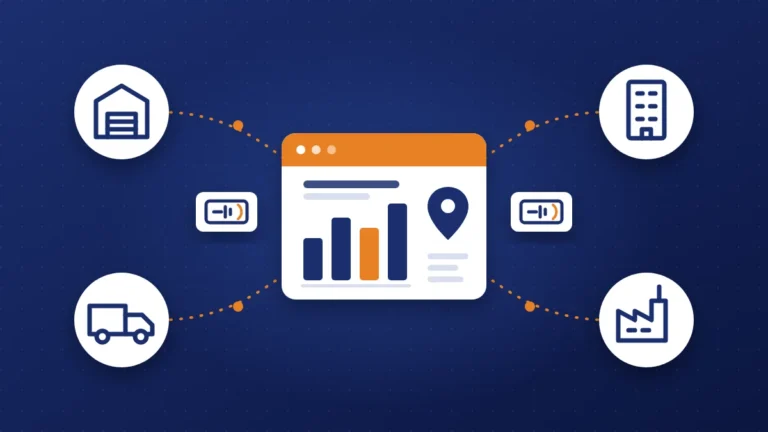
Implementing an asset tracking system in Australia across multiple sites starts with one central rule: standardise the asset data, tagging method, workflows and reporting before scaling the technology. A well-planned system gives operations, finance, maintenance and site teams a single view of where every asset is, who is responsible for it, and when it needs servicing or replacement.
Whether you manage tools, IT equipment, vehicles, medical devices, pallets, returnable containers or high-value machinery, a multi-site rollout should be designed as one connected system, not as separate tracking projects at each location.
Start with a multi-site asset audit
Before choosing tags, scanners or software, document what needs to be tracked and why.
Create an asset register that includes:
- Asset name, description, category and unique asset ID.
- Current location, site, department and custodian.
- Purchase date, warranty, service history and expected replacement date.
- Asset value, criticality and compliance requirements.
- Current barcode, RFID, serial number or QR-code identification method.
- Movement rules, such as who can transfer, receive, audit or retire an asset.
For multi-site organisations, define a consistent asset-naming convention from day one. For example, MEL-IT-LAP-00421 can identify a laptop at the Melbourne site, while SYD-TOOL-DRILL-00187 identifies a drill at Sydney. Consistent naming makes reporting, audits, transfers and maintenance much easier.
Choose the right tracking technology
The best technology depends on asset value, environment, movement frequency and the level of visibility required.
| Technology | Best suited to | Typical use |
|---|---|---|
| Barcode or QR code | Low-cost, stable assets | Office equipment, furniture, basic tools |
| Passive RFID | High-volume, frequently moved assets | Tools, IT assets, pallets, returnable containers |
| Active RFID / RTLS | High-value or real-time location needs | Vehicles, critical equipment, hospital assets |
| GPS tracking | Mobile or outdoor assets | Fleet vehicles, trailers, mining equipment |
| Mobile scanning | Field audits and transfers | Site inspections, asset audits, check-in/check-out |
Barcode remains a practical option for basic asset identification, while RFID is better when assets move frequently, need fast bulk scanning, or must be tracked across multiple locations. RFID can read multiple tags simultaneously, making counts substantially faster than manual barcode or paper-based methods. Our barcode vs RFID comparison covers the trade-offs in more detail, and mining operations can compare RFID, barcode and GPS for mining sites.
A hybrid approach is often ideal: use barcodes for simple assets and RFID for high-value, mobile or high-turnover assets.
Design a central asset register
A multi-site asset tracking system needs one authoritative source of truth. Every site should feed into the same asset register, rather than maintaining separate spreadsheets or local databases.
Your central system should provide:
- A single dashboard across all Australian sites.
- Site-level, department-level and asset-category reporting.
- Asset ownership and custodian history.
- Check-in/check-out records.
- Transfer and movement history.
- Maintenance, calibration, warranty and inspection data.
- Audit trails and exception reports.
- Role-based access for head office, site managers, technicians and contractors.
Cloud-based asset tracking software such as AssetCloud is designed to give visibility across the asset lifecycle, from purchase to disposal, while reducing manual data entry and record-keeping errors. See how a complete asset tracking system brings tags, scanners and software together.
Standardise tagging and labelling
Tagging is where many multi-site rollouts fail. If each site uses different label formats, ID structures or attachment methods, the system becomes difficult to audit and scale.
Create a national tagging standard that defines:
- Label size, material, colour and placement.
- Barcode, QR-code or RFID tag type.
- Asset ID structure and site prefix.
- Required data fields.
- Tag application process.
- Replacement process for damaged or missing labels.
- Quality-control checks before an asset is marked as registered.
For harsh Australian environments, such as mining, construction, logistics, manufacturing and outdoor operations, use rugged tags that can withstand heat, moisture, abrasion, chemicals and UV exposure. Datascan’s heavy-industry RFID guidance highlights rugged tags, fixed readers at key choke points, handheld readers and a central software platform as core components of a scalable tracking solution.
Map asset movement workflows
An asset tracking system is only as accurate as the process behind it. Define exactly what happens when an asset moves between locations, departments, employees or contractors.
Common workflows include:
- Asset receipt: new asset is received, tagged, photographed if required, and registered.
- Issue and assignment: asset is issued to a person, department, vehicle or project.
- Site transfer: asset is scanned out at one site and scanned in at another.
- Maintenance: asset is sent for repair, calibration, inspection or servicing.
- Return and check-in: asset returns to a controlled storage location.
- Audit: assets are counted and reconciled against the asset register.
- Retirement or disposal: asset is decommissioned, sold, recycled or written off.
For example, when a laptop moves from the Melbourne office to the Brisbane office, the receiving team should scan it into Brisbane, confirm its condition, and update its custodian. This prevents “ghost assets” and reduces disputes over missing equipment.
Select the right hardware for each site
Not every site needs the same hardware. A small office may only need mobile scanners and barcode labels, while a warehouse, hospital, mine or logistics hub may require rugged handhelds, fixed RFID readers, portals and printers.
A practical multi-site hardware mix may include:
- Mobile computers and handheld scanners for asset audits, transfers and check-in/check-out.
- RFID handheld readers for fast bulk counting and asset searches.
- Fixed RFID readers at receiving bays, gates, doors, docks and storage areas.
- RFID printers and RFID labels for consistent asset identification.
- Rugged scanners and mobile devices for warehouses, field crews and industrial environments.
- Network infrastructure to ensure reliable data capture and synchronisation.
Datascan Technologies supplies RFID readers, RFID label printers, barcode scanners, mobile computers and asset tracking software for Australian businesses.
Integrate with existing business systems
Avoid creating another disconnected system. Your asset tracking platform should integrate with the systems your teams already rely on.
Potential integrations include:
- Finance and ERP systems for asset registers, depreciation and capital reporting.
- Maintenance or CMMS systems for work orders and service history.
- Procurement systems for asset receiving and purchase orders.
- HR systems for employee assignments and custodianship.
- Fleet or vehicle-management systems.
- Security and access-control systems.
- Business-intelligence dashboards for executive reporting.
Integration reduces duplicate data entry and ensures that finance, operations, maintenance and site managers are working from the same asset information. If you are still deciding which kind of platform you need, see how asset management and asset tracking systems differ.
Run a pilot before rolling out nationally
A pilot reduces risk and reveals practical issues before a full national deployment. Start with one site, one asset category or one high-value department.
A strong pilot should include:
- A complete baseline audit of selected assets.
- Tagging and labelling trials.
- Testing of handheld and fixed-reader workflows.
- Staff training and feedback.
- Integration testing with finance, maintenance or ERP systems.
- Reporting and exception-management testing.
- A review of scan accuracy, audit time and data quality.
For example, a construction company could pilot RFID tracking for high-value power tools across two depots before extending the system to every site. This makes it easier to refine tag placement, scanning procedures and reporting before scaling. The same approach works for tool tracking on mining sites.
Measure success with clear KPIs
Measure the system against operational outcomes, not just the number of tags applied.
Track these KPIs:
- Asset audit time: time required to complete a full site audit.
- Inventory accuracy: percentage of assets correctly located and recorded.
- Missing or unlocated assets: number and value of assets not found during audits.
- Transfer accuracy: percentage of asset movements recorded correctly.
- Maintenance compliance: percentage of assets serviced or inspected on time.
- Asset utilisation: how often equipment is available, idle or underused.
- Replacement and write-off accuracy: whether retired assets are removed from the register correctly.
Multi-location tracking is particularly valuable because it lets businesses see assets across all sites in one dashboard, improving transfers and reducing overstock or shortages.
Train teams and assign ownership
Technology does not fix inconsistent processes. Assign clear ownership at both head office and site level.
Recommended roles include:
- System owner: owns the asset tracking platform, data standards and reporting.
- Site asset champion: manages local tagging, audits, transfers and exception follow-up.
- Finance owner: maintains asset values, depreciation and capital records.
- Maintenance owner: manages servicing, calibration and repair workflows.
- IT owner: manages devices, connectivity, integrations and security.
- Operational users: scan assets during receipt, issue, transfer, return and audit activities.
Provide short, role-specific training rather than a single generic session. A warehouse operator, site manager, finance officer and maintenance technician each need different workflows.
Common implementation mistakes to avoid
- Tracking every asset before defining business value.
- Using inconsistent asset IDs or label formats across sites.
- Relying on spreadsheets instead of a central asset register.
- Failing to define transfer, check-out and audit workflows.
- Choosing tags that cannot survive the operating environment.
- Ignoring integration with finance, maintenance or ERP systems.
- Rolling out to all sites without a pilot.
- Not assigning accountability for data quality.
- Treating asset tracking as a one-off project rather than an ongoing process.
Questions Australian businesses ask
What equipment do I need for asset tracking across multiple sites?
At minimum, you need asset tags or labels, mobile scanners or RFID readers, asset tracking software, and a central asset register. Depending on the environment, you may also need rugged handhelds, fixed RFID readers, label printers, network infrastructure, and integrations with finance or maintenance systems.
Can one system track assets across multiple Australian locations?
Yes. A modern asset tracking platform can manage assets across multiple warehouses, offices, stores, depots or field locations from one system. This enables site-level visibility, transfers between locations, consolidated reporting and consistent audit processes.
Should we use barcode, QR code or RFID?
Use barcode or QR codes for simple, low-cost asset identification. Use RFID when assets move frequently, need fast bulk scanning, require better location visibility, or are difficult to scan individually. Many organisations use both technologies in a hybrid model.
How long does a multi-site rollout take?
It depends on the number of sites, asset volume, tagging requirements, integrations and internal resources. A phased approach, starting with a pilot and then scaling site by site, is usually more reliable than attempting a simultaneous national launch.
Build a scalable asset tracking system
The most successful multi-site asset tracking implementations are simple at the core: one asset register, consistent data standards, reliable scanning, clear workflows and useful reporting. RFID, barcode and mobile computing technologies can then be applied where they create the greatest operational value.
Explore asset tracking solutions with Datascan Technologies
Datascan Technologies helps organisations design, implement and scale asset tracking systems across single and multi-site operations. Our solutions combine RFID, barcode, mobile computing, labelling and asset tracking software to improve visibility, accuracy and operational control.
to plan a pilot for your sites.