
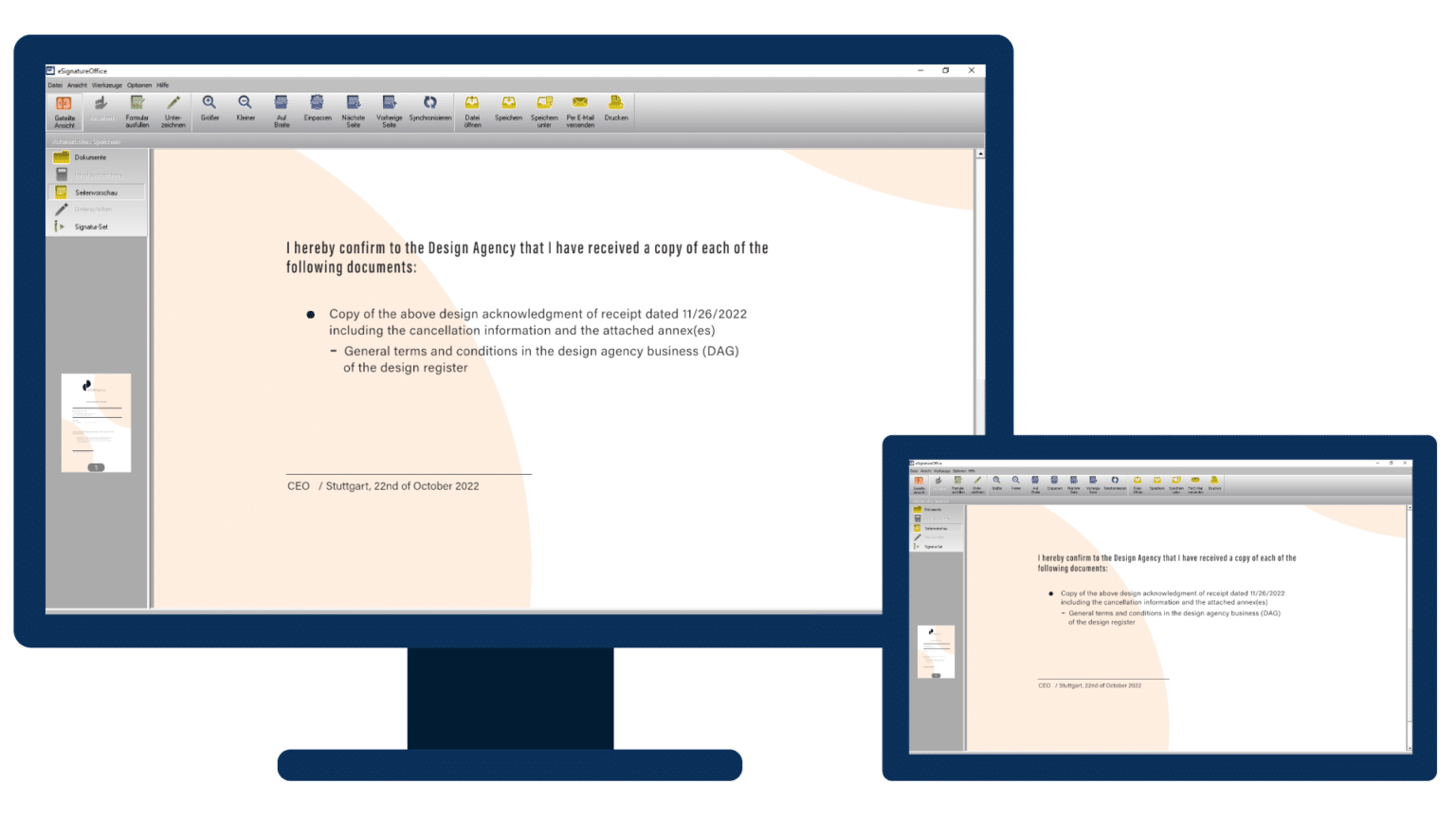
Software for Windows PCs for legally valid signature of PDF documents.
Highlights of eSignatureOffice
Proven many times
With over 100,000 installations in the insurance, banking, industry and healthcare sectors in Germany alone, eSignatureOffice is probably Europe’s best-selling software for handwritten electronic signatures.
Maximum security
Highest security standards thanks to double asymmetric encryption. Signature pad & software-side encryption of biometric data up to 4096 bit RSA. The signatures provided can be conveniently validated (e.g. with Adobe Acrobat Reader).
Automations
The software enables numerous automations: Signature fields can be placed in the right place in the document dynamically and automatically (e.g. based on search terms). Individually configurable macro actions enable the automated renaming, saving or printing of the document after the signature has been completed. Information within the document (e.g. “order no.” or “date”) can also be used and applied for processing. Sending the document by e-mail or transferring the file to another application is also easy.
Integration & Customizability
eSignatureOffice can be integrated into existing workflows without any programming effort, e.g. by starting with command line parameters and configuration files. The user interface can be customized according to individual requirements, making operation child’s play for the user. For deep integration, integration as a visual component (OCX) is also possible.
Document display
eSignatureOffice enables PDF/A documents to be viewed and signed. In addition, form fields can be filled in and saved in eSignatureOffice. Signing can be done directly in the document.
Server Environments & Web Capability
In conjunction with our TCP and our Citrix module, terminal server environments are also supported. In addition, eSignatureOffice can also be called from a web application via a so-called link handler.
eIDAS compliant
eSignatureOffice is suitable for “simple” and “advanced electronic signature” systems.
Note:
eSignatureOffice now also available as a subscription
The subscription version is based on an annual fee and offers access to the latest software version at any time. All updates and upgrades, as well as support for questions or technical difficulties, are included in the price.
Click here to download the product Brochure(PDF)
Reviews
There are no reviews yet.